
Getting Started
Accessing the App
The league app is a web app that works on any phone or tablet browser. The URL is: https://www.erosgolfleague.com/golf.
For the best experience, add it to your home screen:
- iPhone/Safari: Tap the Share button → “Add to Home Screen”
- Android/Chrome: Tap the three-dot menu → “Add to Home Screen”
This makes it launch like a native app with no browser chrome.
Logging In
- Open the app URL in your browser.
- Enter your username and password (provided by your league administrator).
- Tap Sign In.
- Tip: You will stay logged in for 7 days. You only need to log in again after that period or if you explicitly sign out.

Forgot Your Password?
Contact your league administrator — they can reset your WordPress account password from the admin dashboard.
Scoring a Match
Use this mode when **one person is tracking scores for all players in a matchup** during the round (hole-by-hole as you play).
Steps
- Tap Score from the bottom menu.
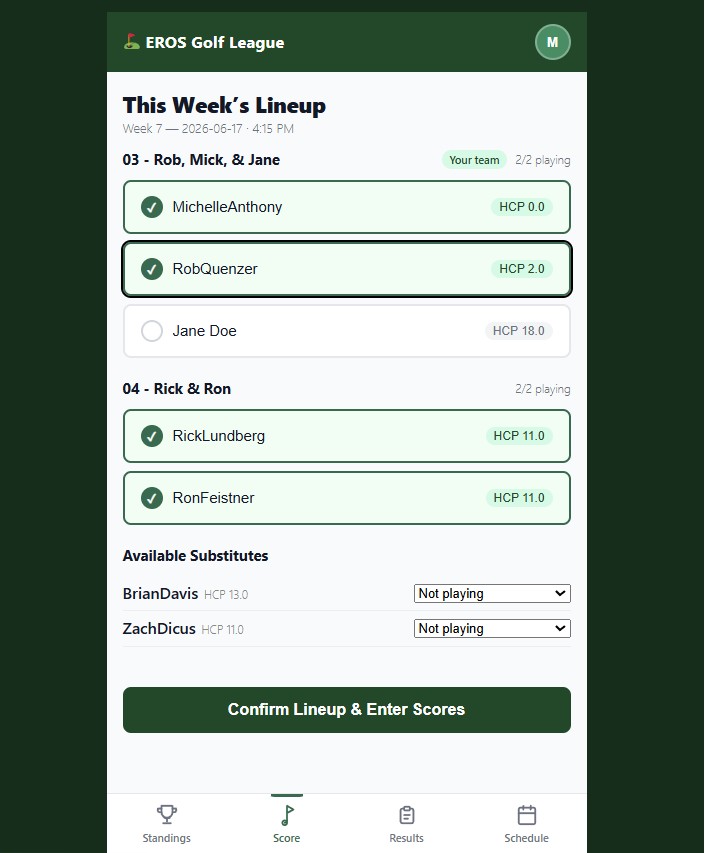
- Select the team members that will be playing. You can pick from a list of Subs below the team names. If someone is not playing, uncheck their name. At least 1 player is required to be selected. Click Confirm Lineup & Enter Scores.
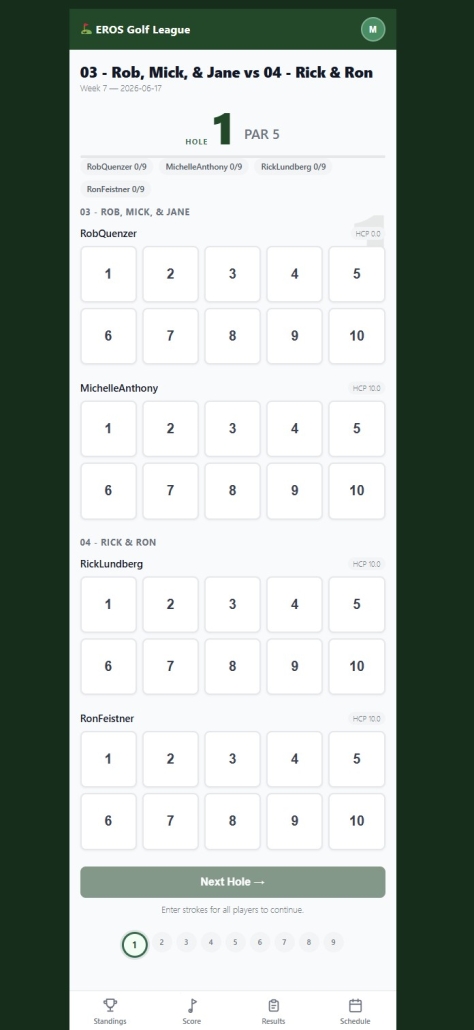
- You will see entry fields for all players in the matchup (typically 2 home team + 2 away team players) for Hole 1.
- Enter each player’s strokes for that hole.
- Tap Save Hole to record the scores and advance to Hole 2.
- Repeat for all 9 holes.
- After Hole 9, tap Close Out to finalize the matchup and trigger scoring.
- You will see entry fields for all players in the matchup (typically 2 home team + 2 away team players) for Hole 1.
- Enter each player’s strokes for that hole.
- Tap Save Hole to record the scores and advance to Hole 2.
- Repeat for all 9 holes.
- After Hole 9, tap **Close Out** to finalize the matchup and trigger scoring.
Tips for Scorekeepers
- You do not need to complete all 9 holes in one session — saved holes are stored and you can resume.
- If you lose cell signal mid-round, keep entering scores. They will queue locally and sync automatically once you’re back online (see Offline Use).
- Only one person should act as scorekeeper per matchup to avoid duplicate entries.
Standings
Tap Standings in the bottom navigation bar.
Team Standings
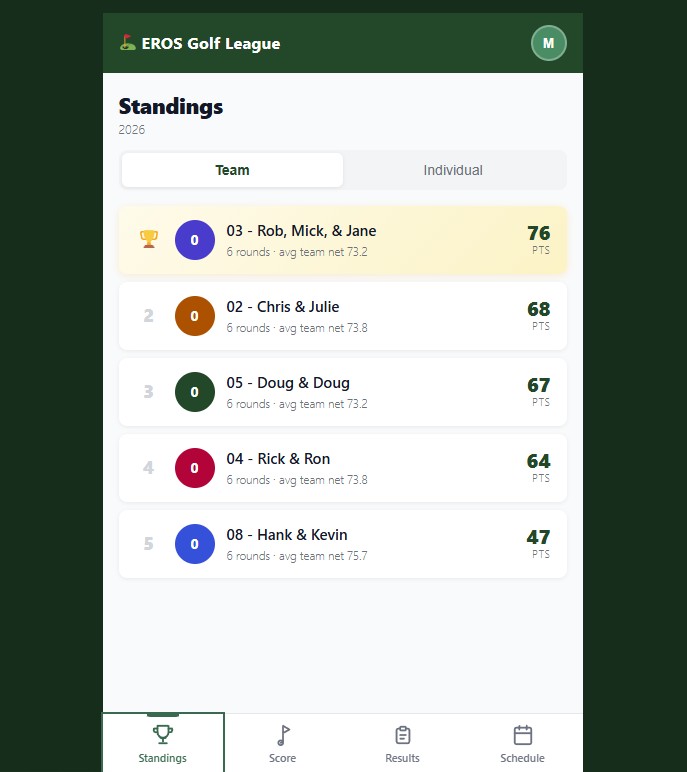
The Team tab shows every team in the league ranked by total points. Each week, match points are earned based on how your team performs in the 9-hole matchup. Hole points (2 pts per hole) plus a match bonus (4 pts for the team with the lower overall net) are totaled each week.
Individual Standings
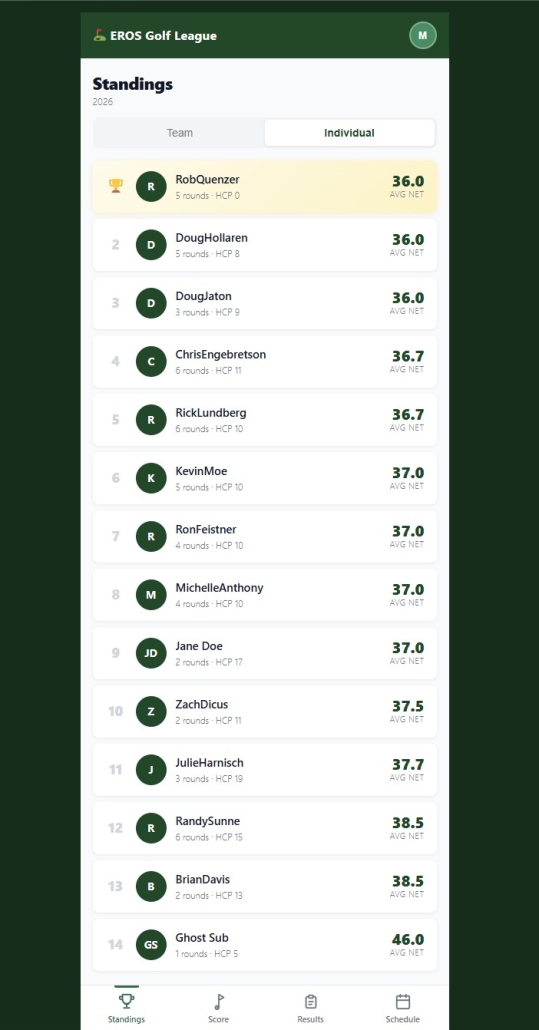
The Individual tab shows every player ranked by total points. Individual points are assigned based on your net score rank among all players that round.
Results
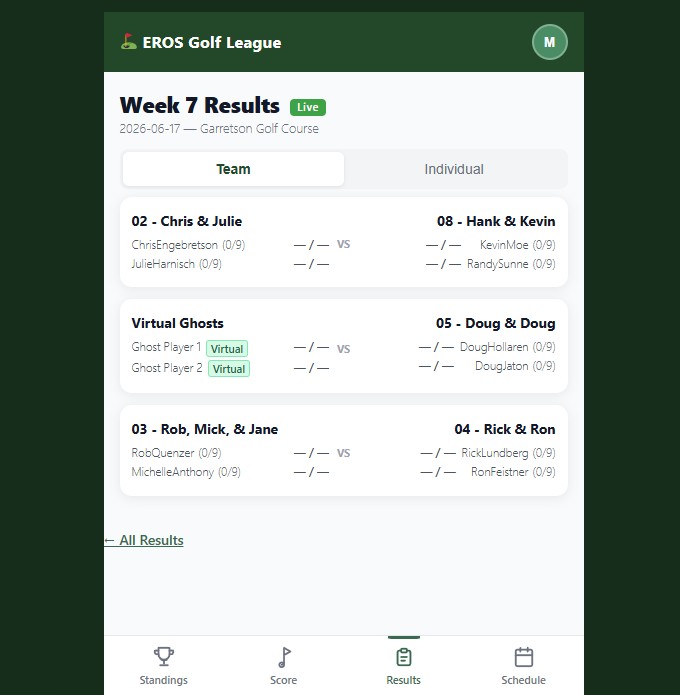
Tap Results in the bottom navigation bar to see the current week’s matchup outcomes.
Schedule
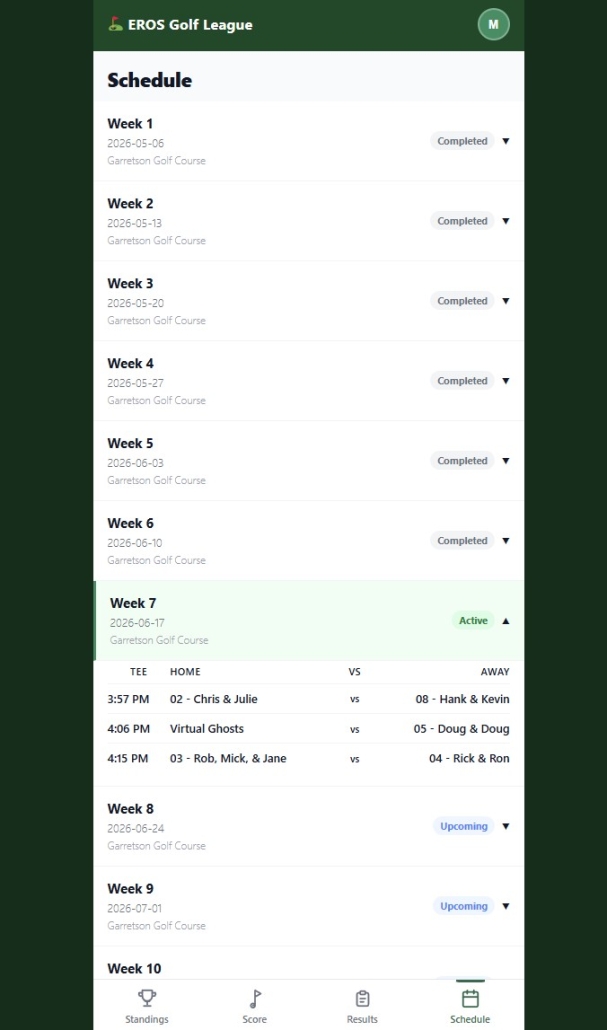
The Schedule shows all weeks and the results.
Offline Use
The EROS Golf League app is designed to work even when you have no cell signal on the course.
How It Works
- When you lose signal, an **Offline** banner appears at the top of the screen.
- You can continue entering scores normally — they are saved locally on your device.
- When your signal returns, queued scores are automatically submitted in the background.
- The banner disappears once you’re back online and synced.
Best Practice
Open the app before you leave cell coverage (e.g., while you’re still in the parking lot). This pre-loads the active round data so everything is available offline.
What Works Offline
- Score entry (individual and group modes)
- Viewing previously loaded standings and results
What Requires a Connection
- Logging in
- Viewing standings or results for the first time
- Seeing real-time updates from other players